

“It takes a village to raise a child – or a plant”
Did you know that you can share plants from your profile with your partner, housemates, friends and family for joint access to the plant and care tasks?
If caring for your plants is a joint responsibility or if you’re going on holiday and need your green beauties to be looked after by a plant sitter then this feature is for you.
Sharing your plant(s) allows the other profile(s) to add notes, events and photos, as well as view the plant happiness score, notifications and care actions if the plant has a Willow Sensor.
How to share
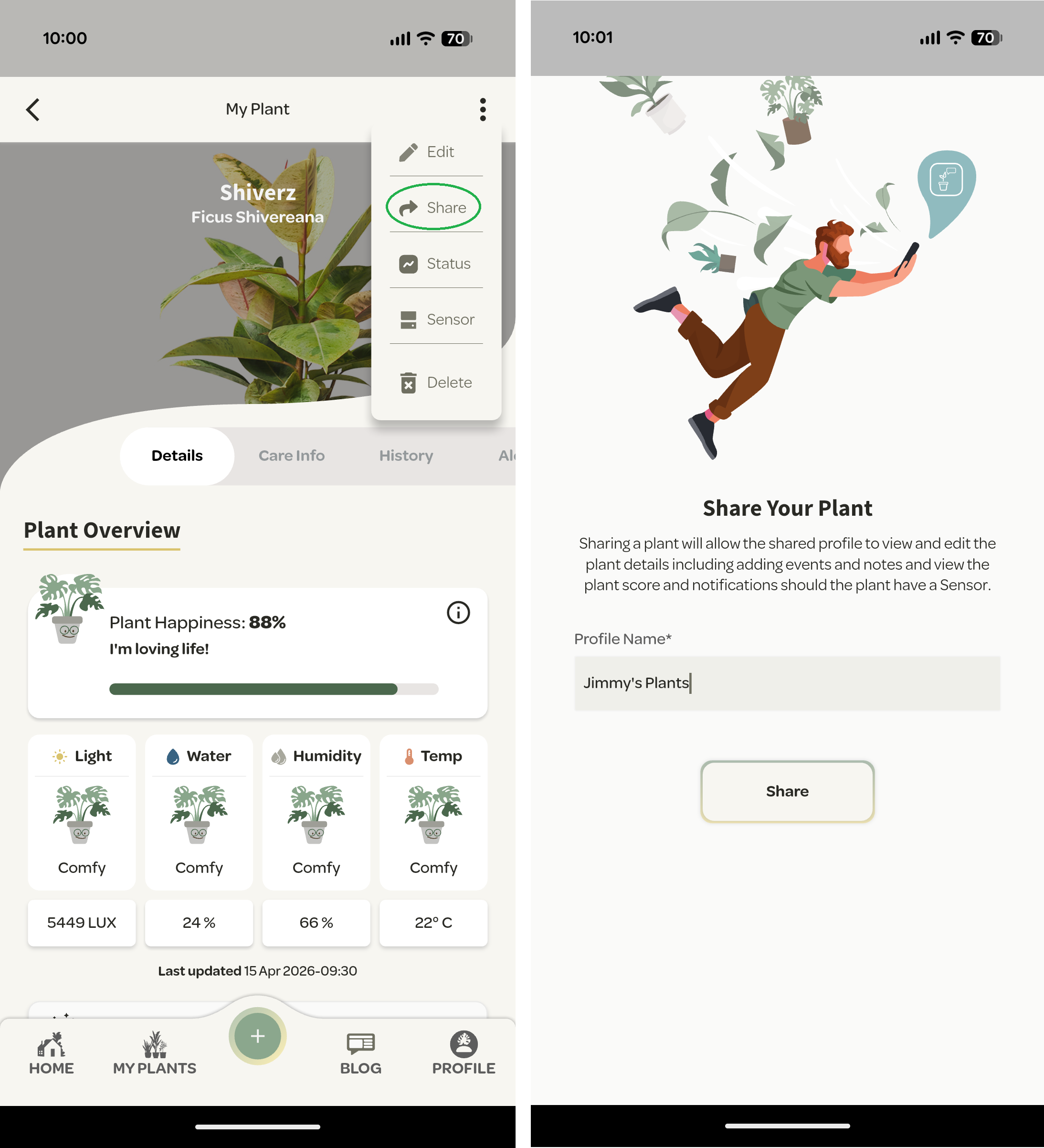
- Navigate to the plant you wish to share and select ‘Share’ from the top right dropdown menu.
- Then enter the name of the profile you wish to share your plant with.
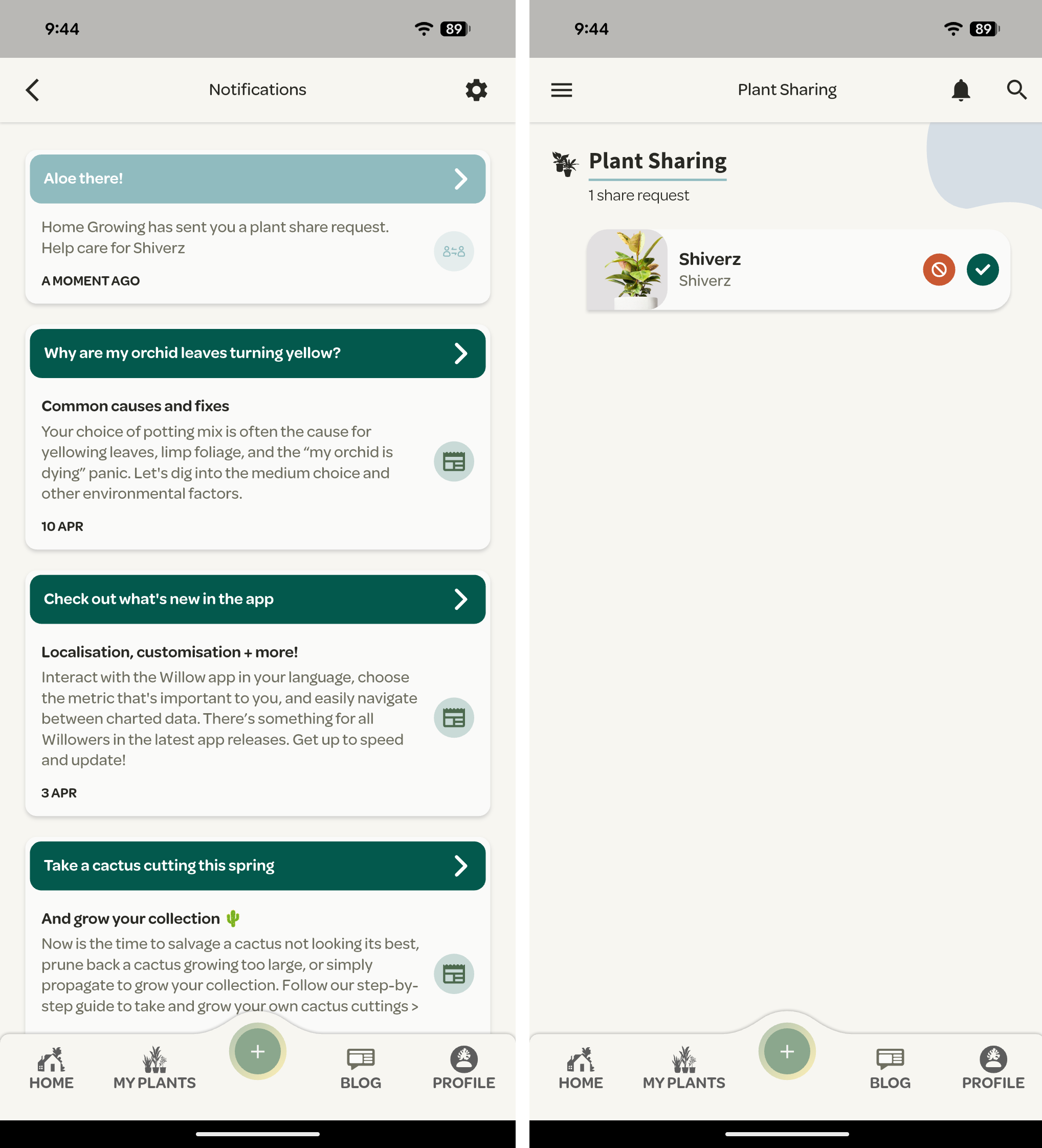
- They’ll then be prompted in the app to confirm the share request
- Simply press the green tick
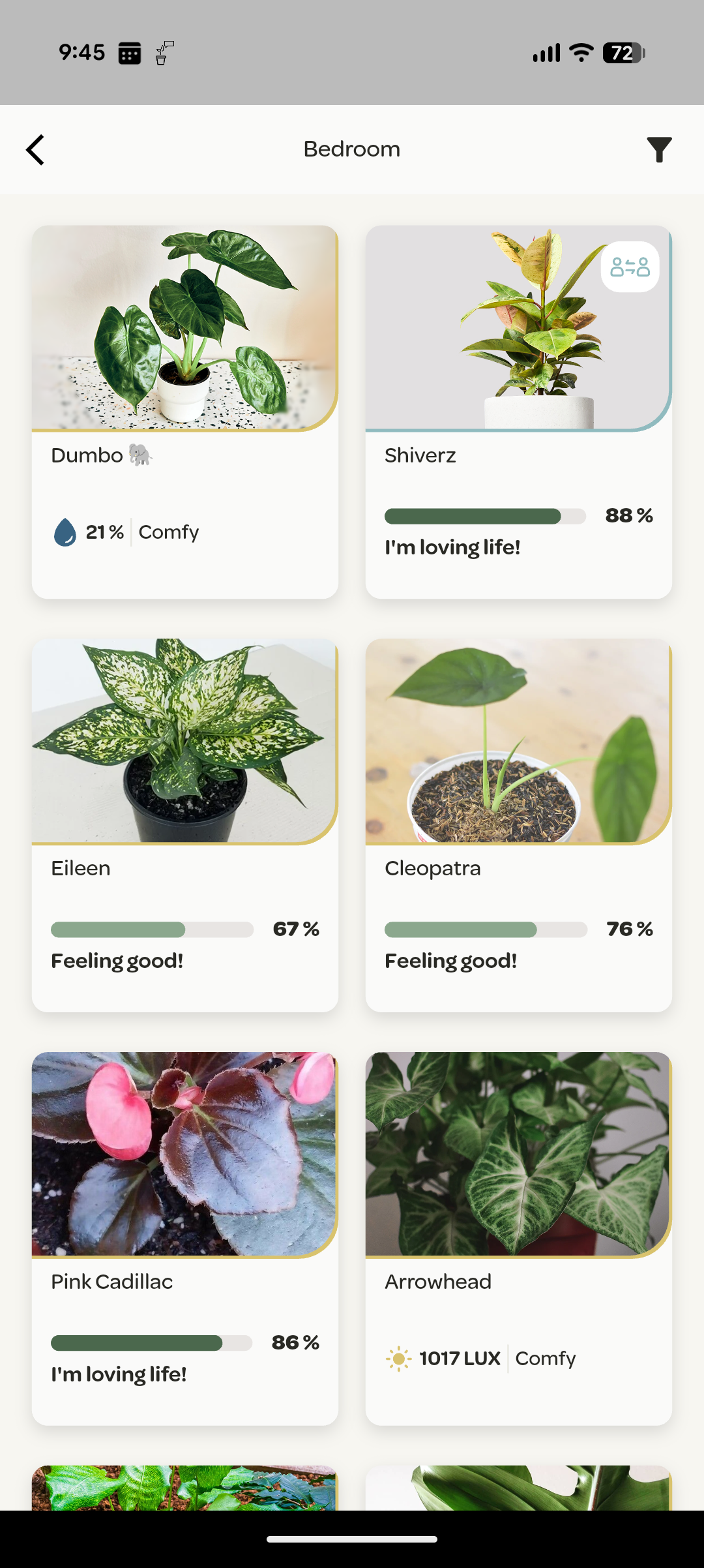
And voila, the plant is added to their collection (identified by the blue outline and icon on both profiles).
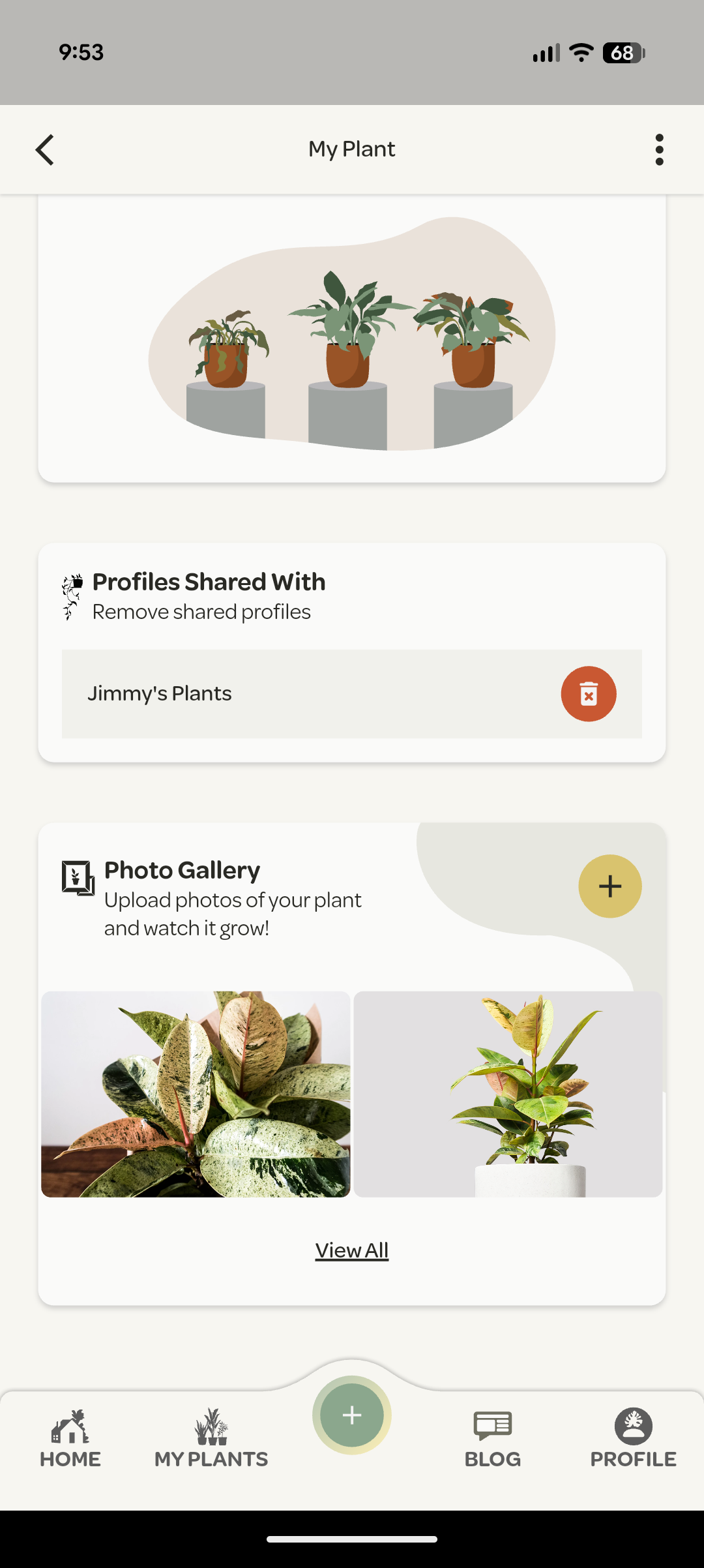
If you no longer wish to share your plant with another profile, simply navigate to the plant and long press for the delete icon.